Screenshots

Every screen, as it really looks.

These are captures from a phone running the current build. Nothing here is a mock-up, a render, or a design that never shipped.

Seeing what arrived

The screens the person at the till actually uses.
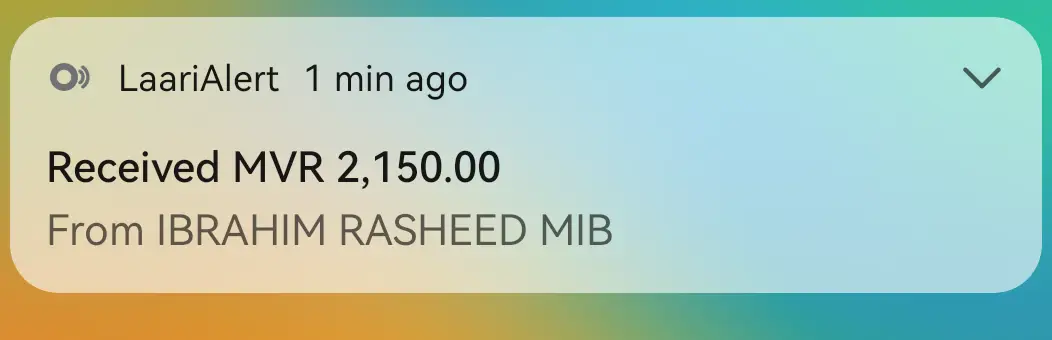
Payment alert: The alert as money lands, without unlocking the phone.
Payment alert The alert as money lands, without unlocking the phone.
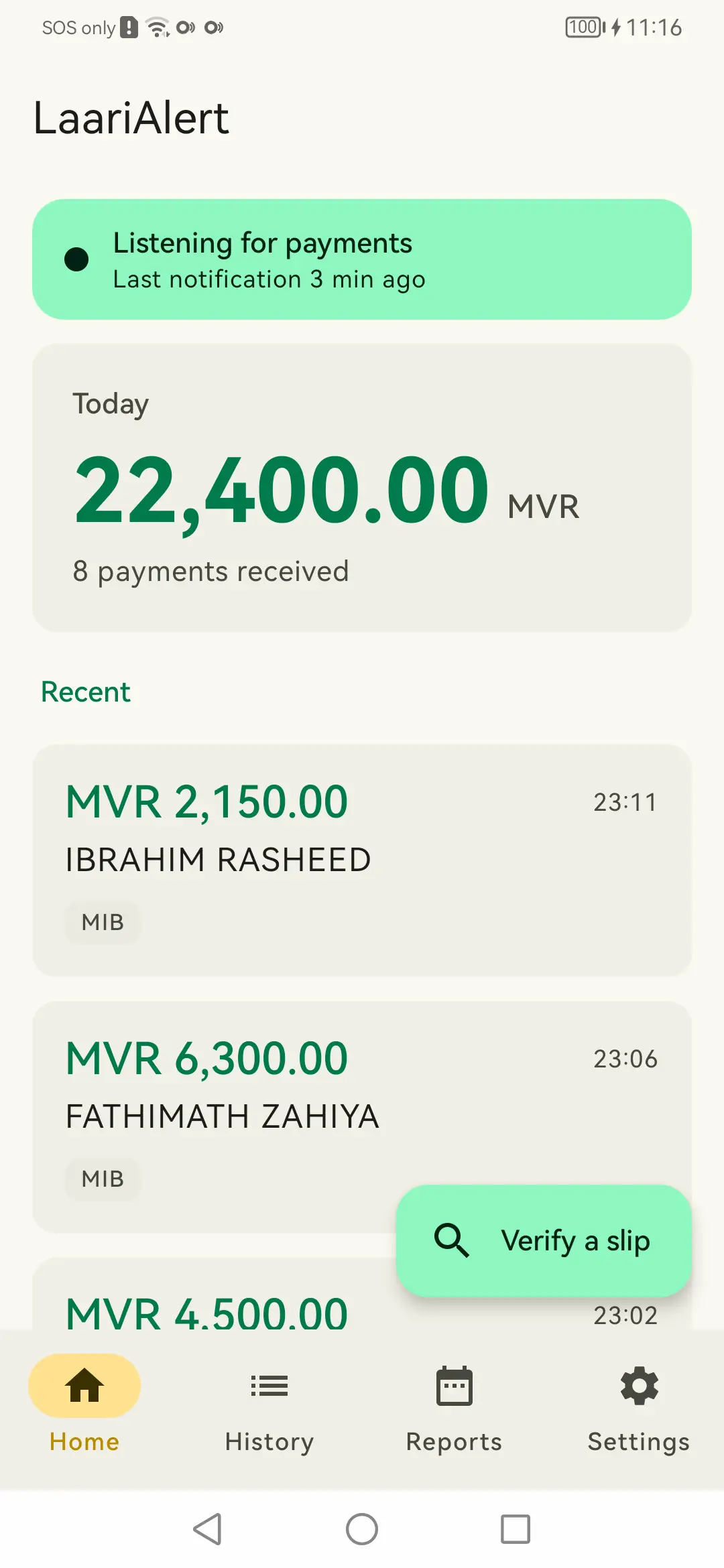
Home: The day's total, the count, and the most recent payments.
Home The day's total, the count, and the most recent payments.
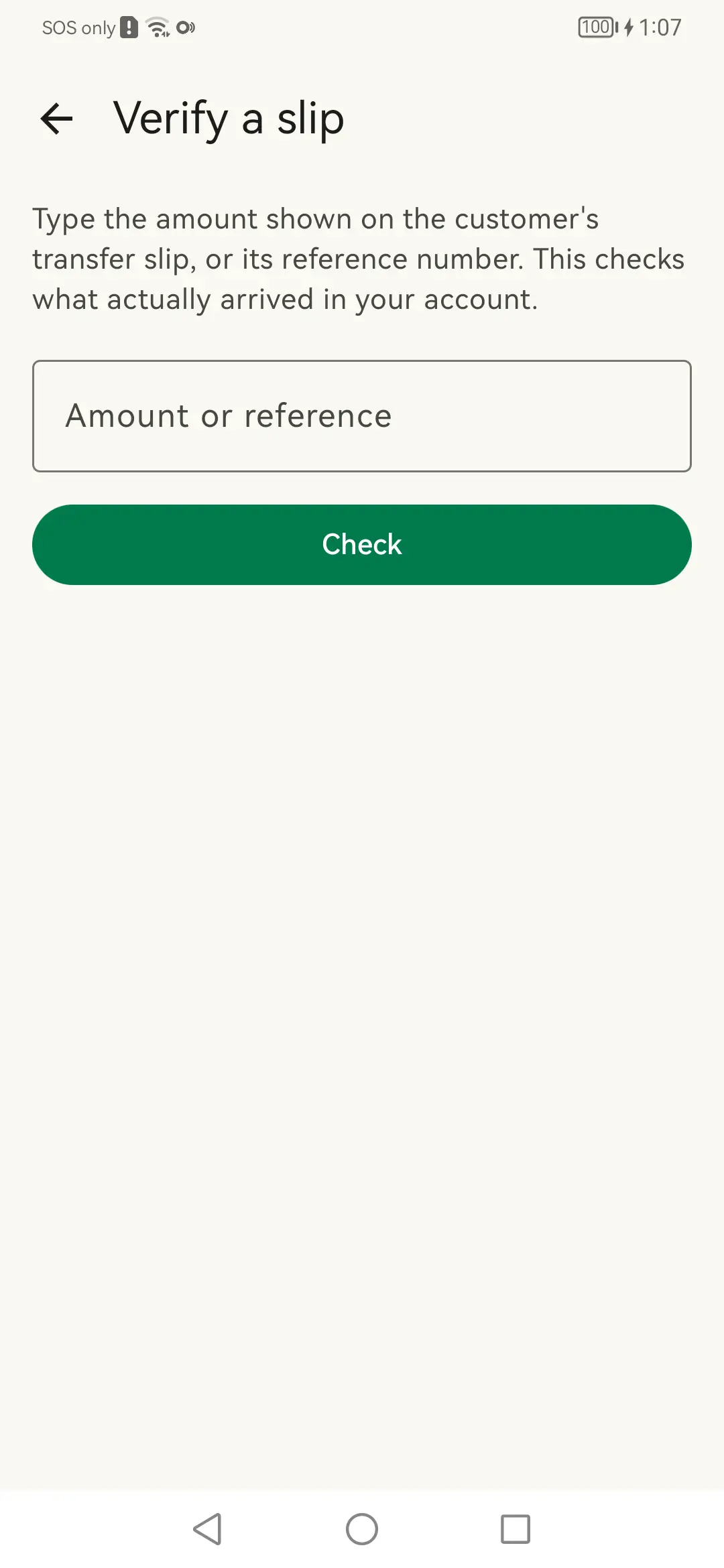
Verify a slip: Type the amount or reference the customer claims to have sent.
Verify a slip Type the amount or reference the customer claims to have sent.
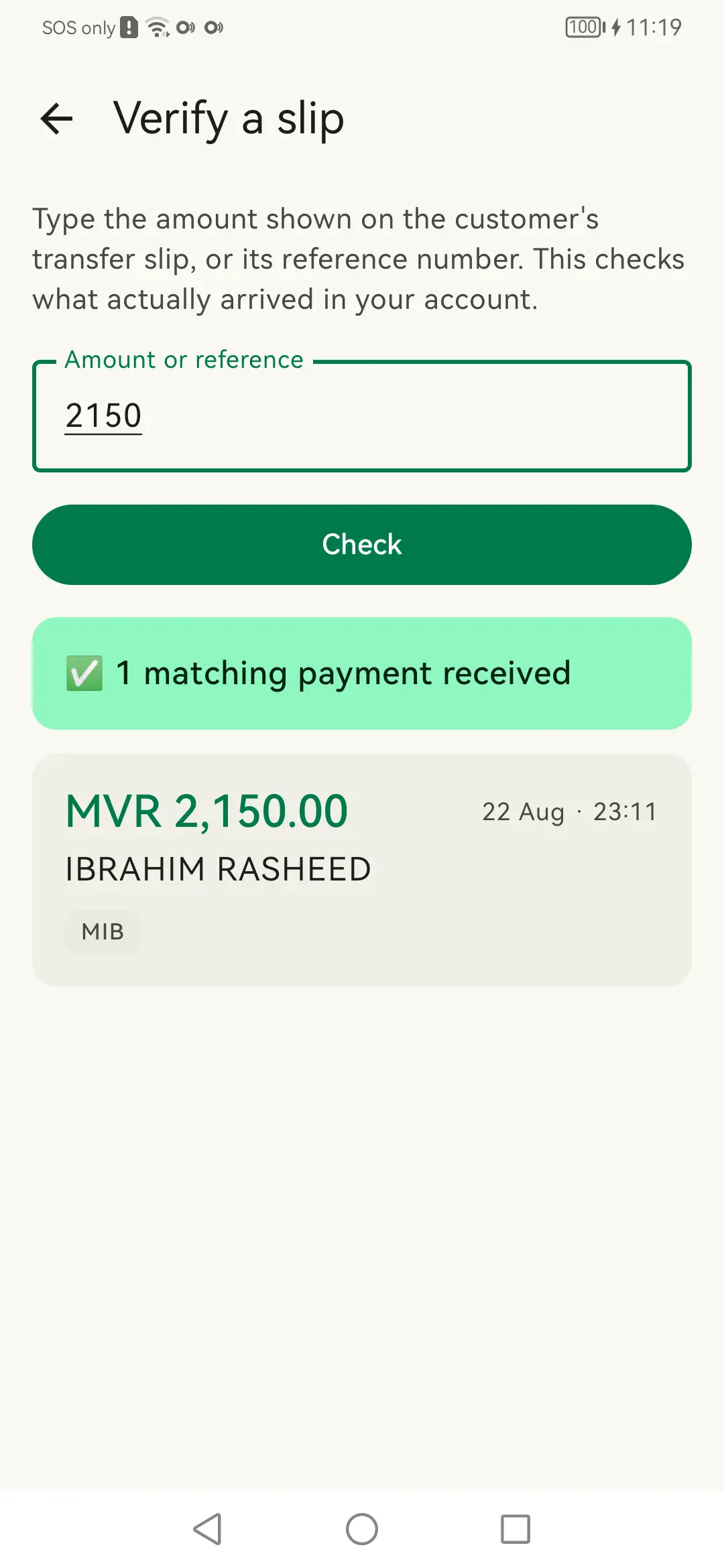
Verify a slip — matched: The payment really landed, with its time and sender.
Verify a slip — matched The payment really landed, with its time and sender.
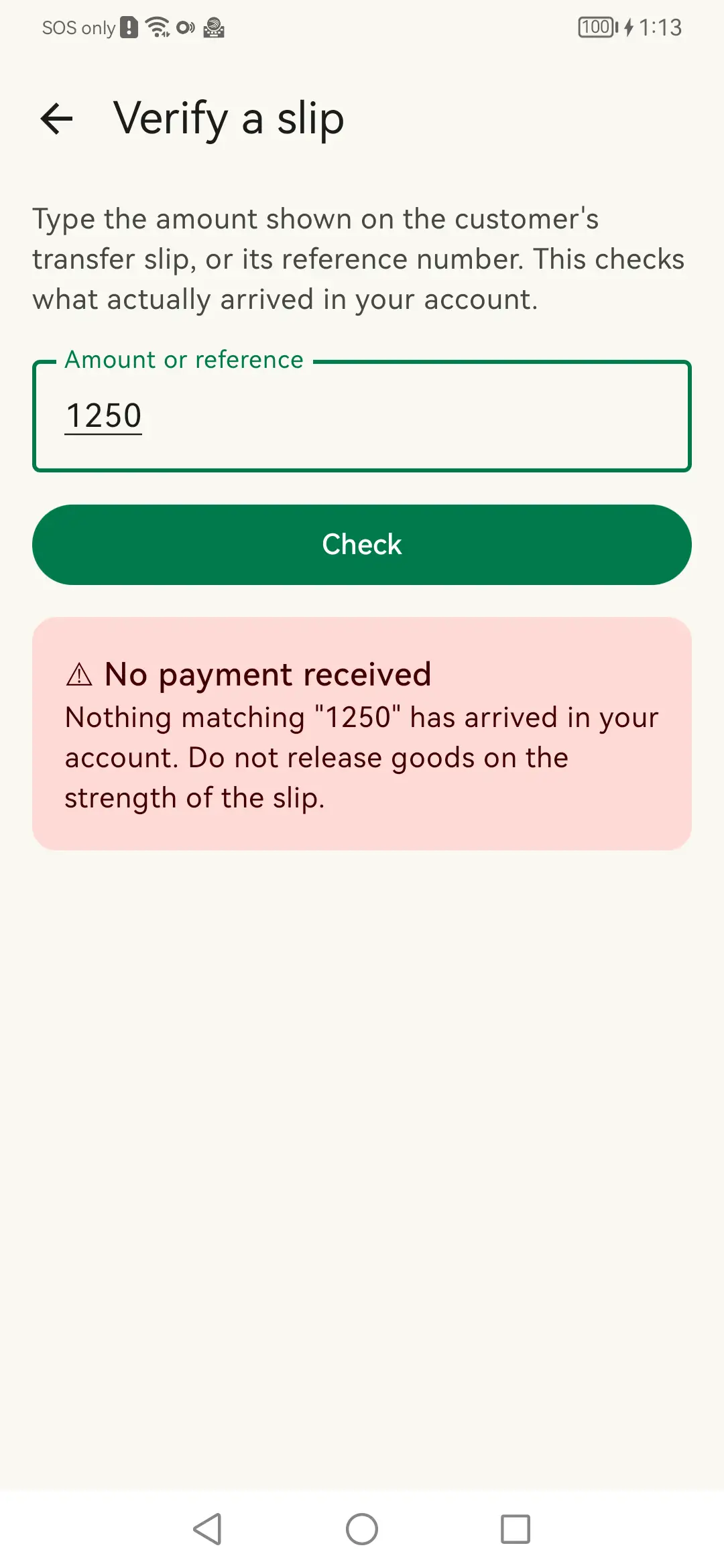
Verify a slip — no match: Nothing matching arrived, so the goods stay behind the counter.
Verify a slip — no match Nothing matching arrived, so the goods stay behind the counter.
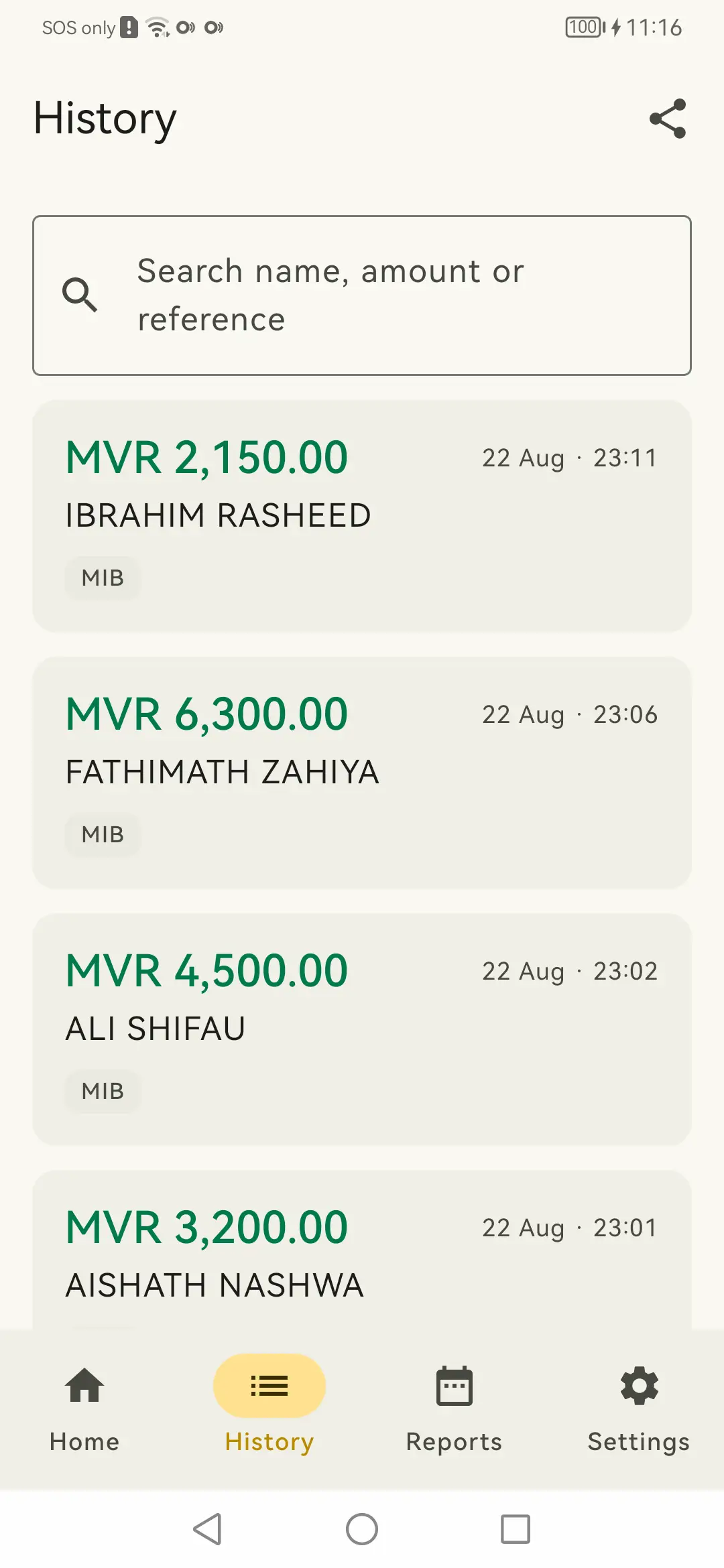
History: Searchable by name, amount or reference.
History Searchable by name, amount or reference.
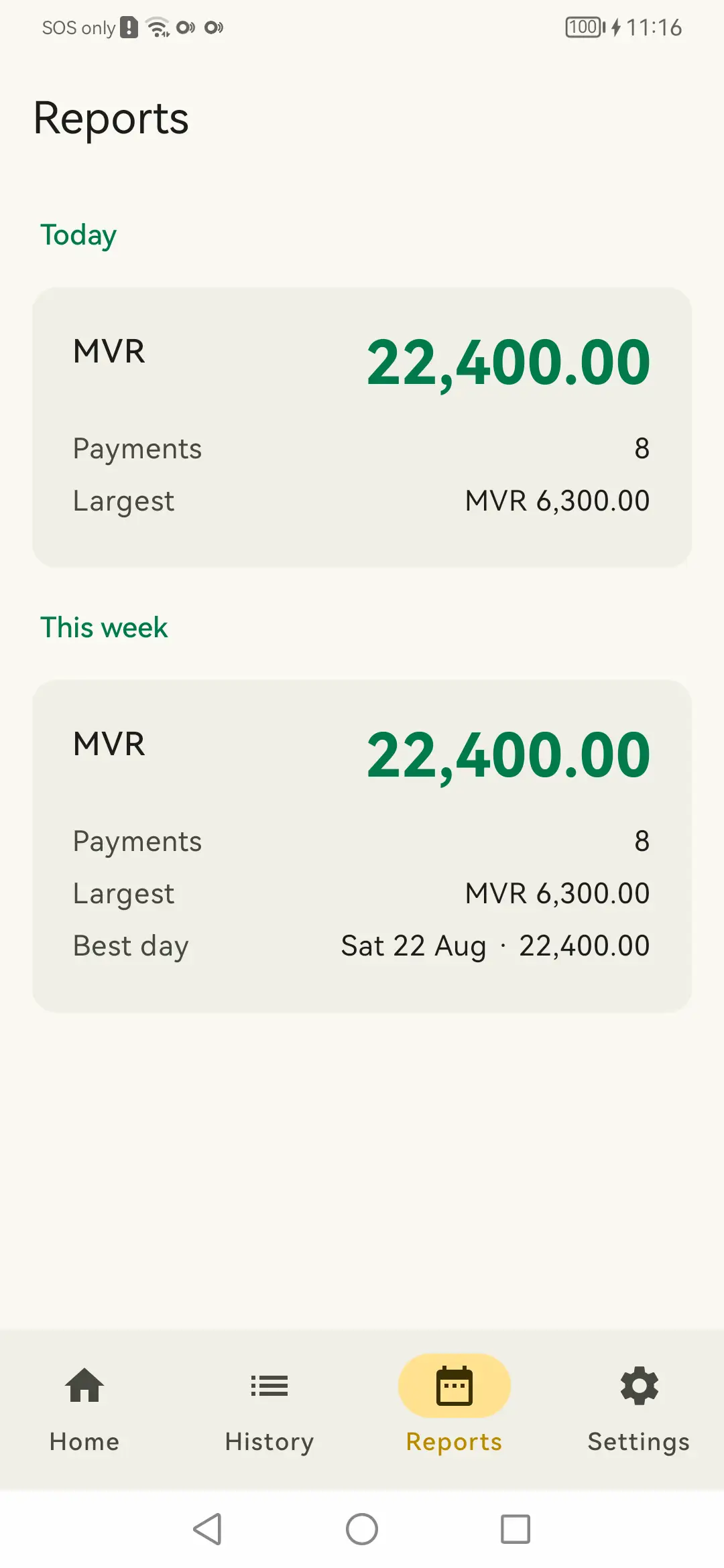
Reports: Today and this week, with the largest and the best day.
Reports Today and this week, with the largest and the best day.

Hearing the money arrive

Chime, spoken amount, and the controls that keep both audible across a busy counter.
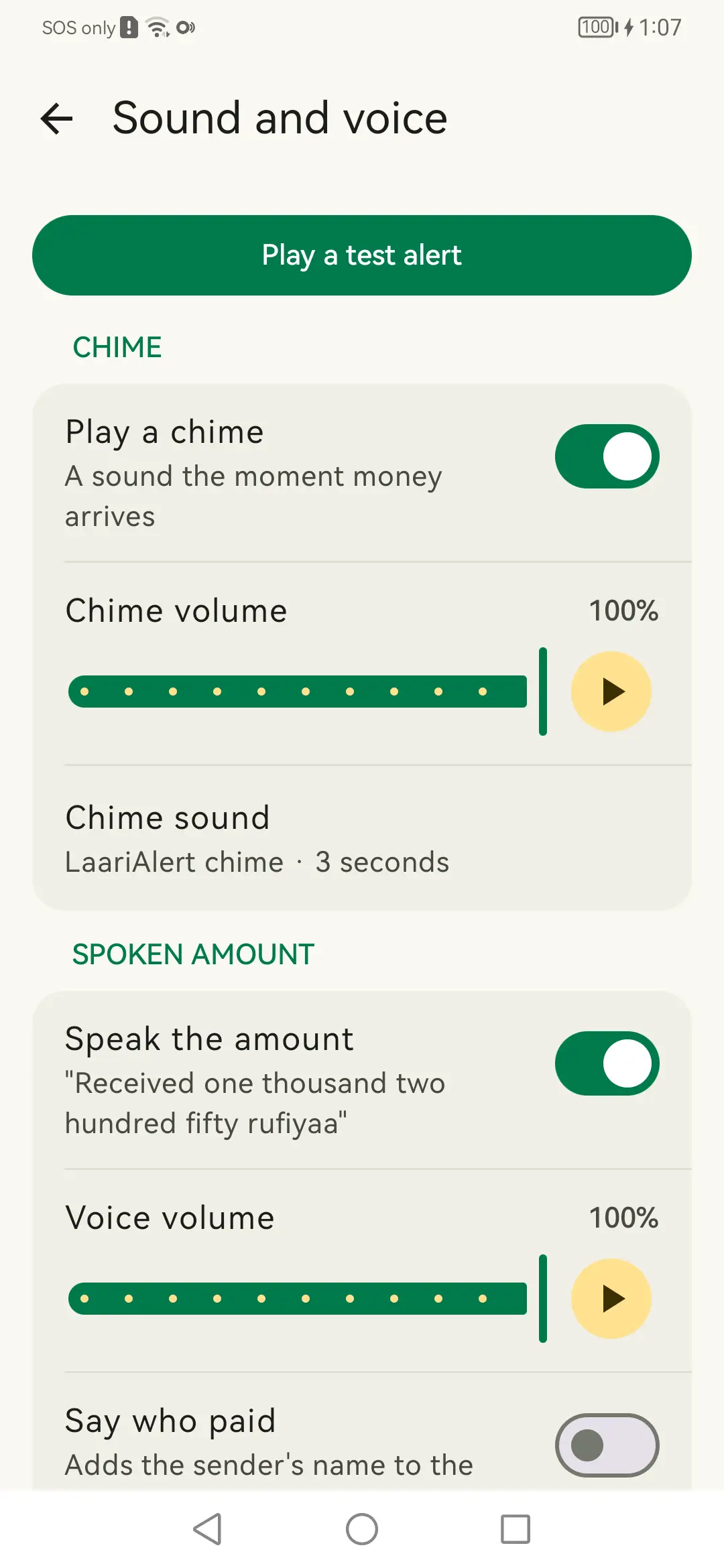
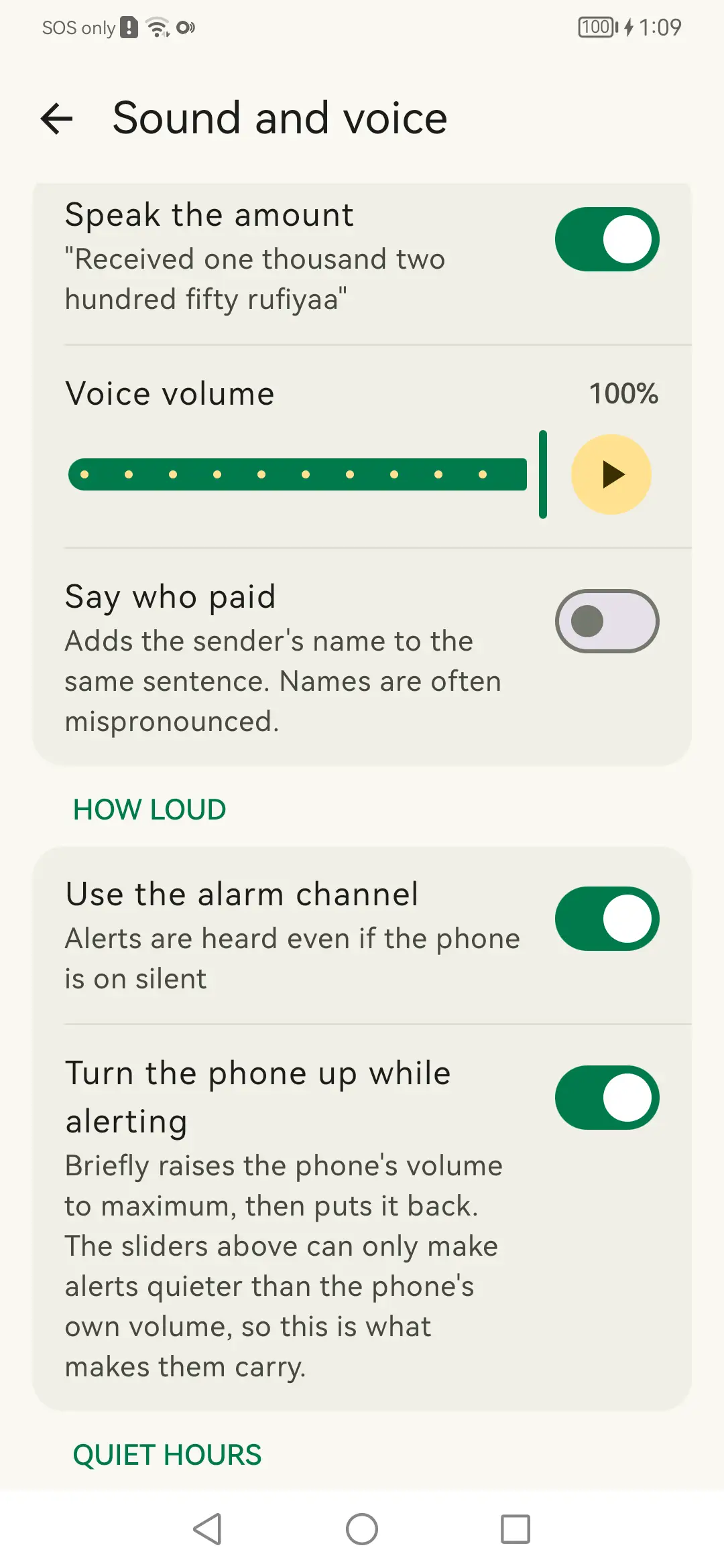
Sound and voice: Separate chime and voice volumes, each with a preview.
Sound and voice Separate chime and voice volumes, each with a preview.
How loud: The alarm channel, so a phone left on silent still speaks.
How loud The alarm channel, so a phone left on silent still speaks.
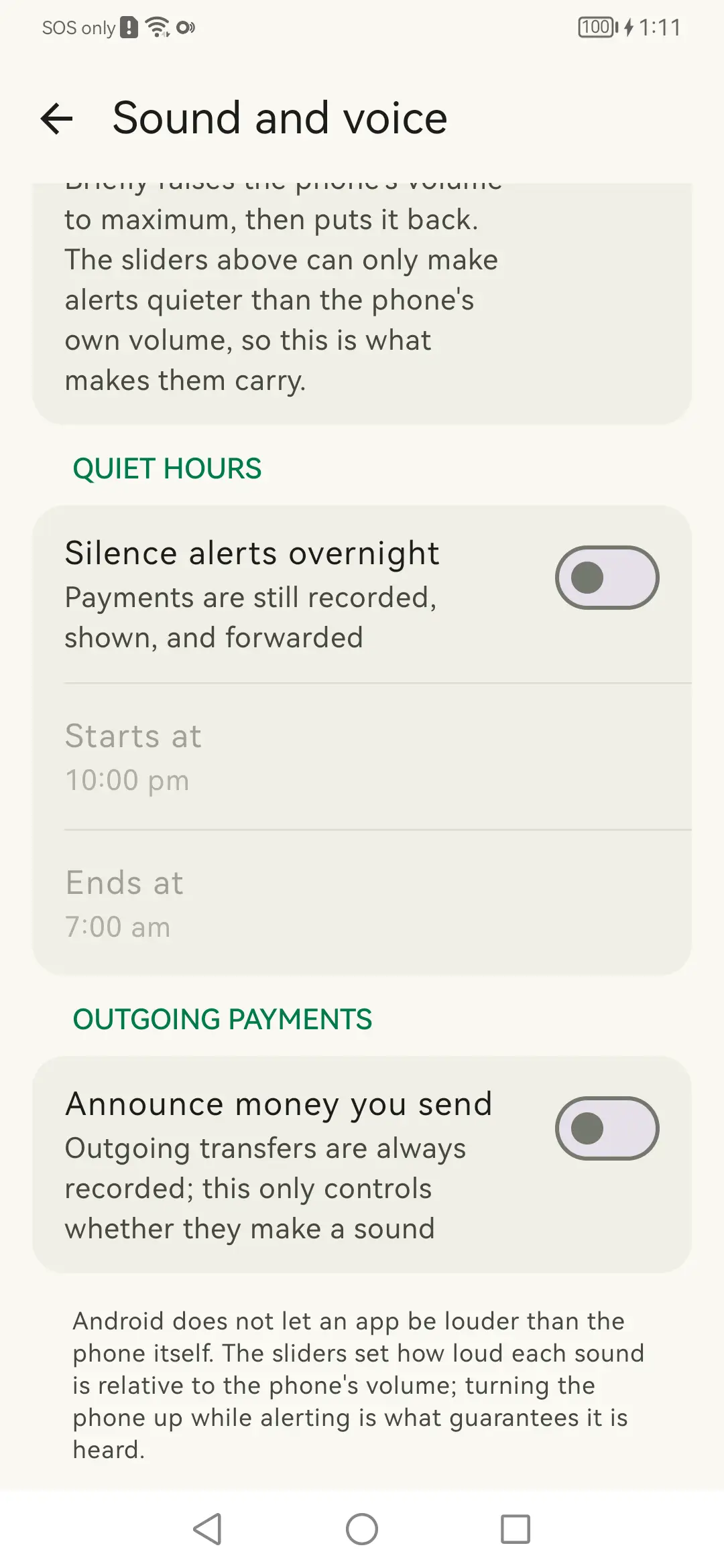
Quiet hours: Silence overnight without losing the record.
Quiet hours Silence overnight without losing the record.

Reading the bank

Which apps are watched, and the diagnostics for when a bank changes its wording.
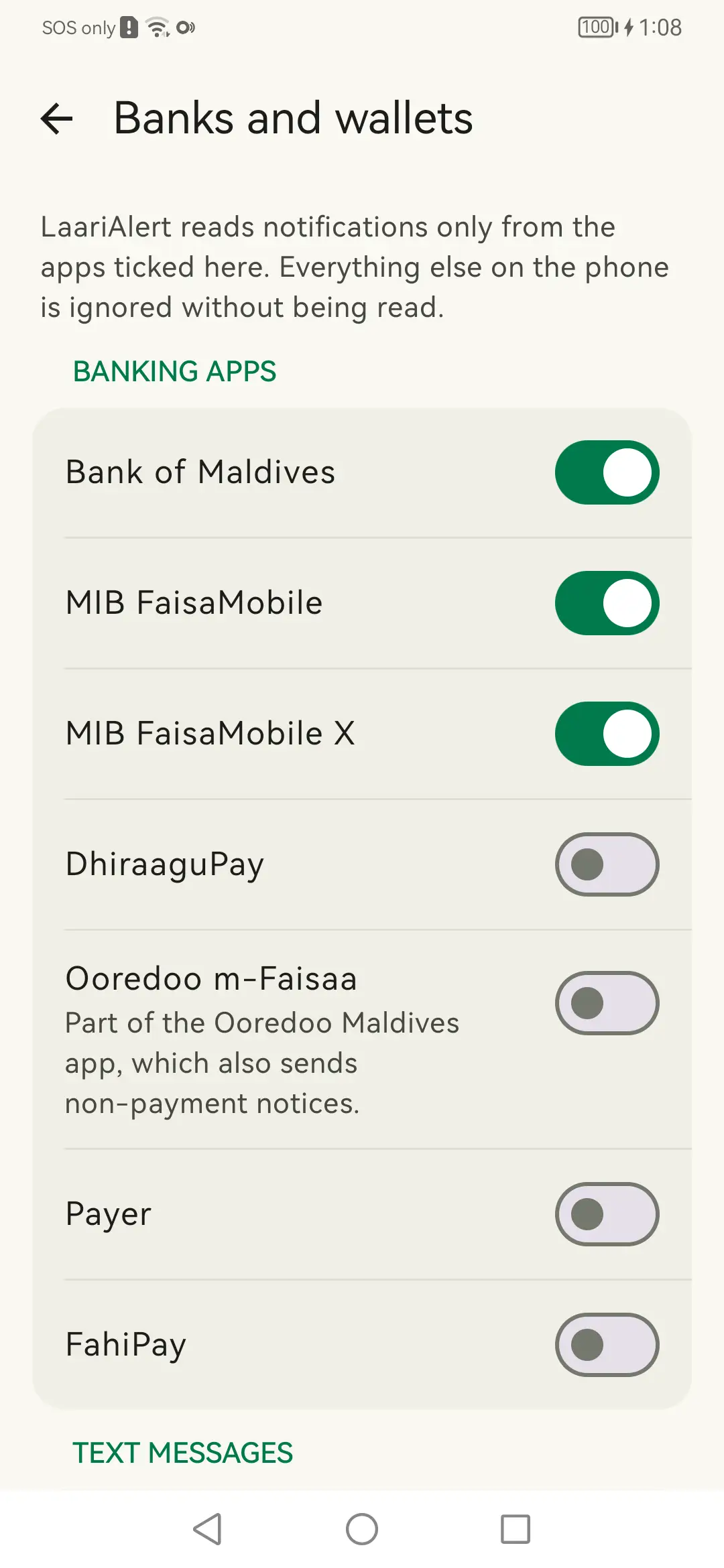
Banks and wallets: Only ticked apps are read. Everything else is dropped unread.
Banks and wallets Only ticked apps are read. Everything else is dropped unread.
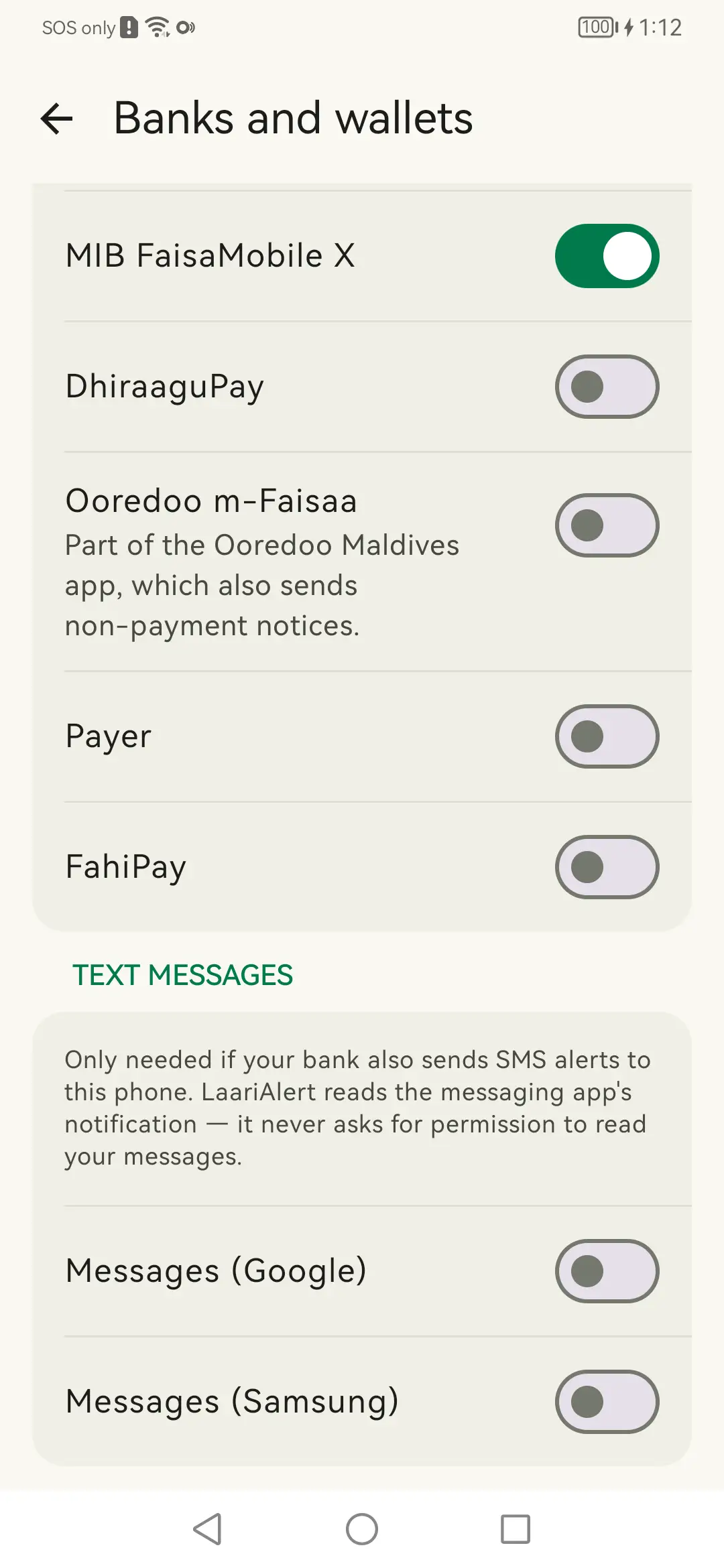
Wallets and messages: Wallet apps, and the SMS bridge that needs no SMS permission.
Wallets and messages Wallet apps, and the SMS bridge that needs no SMS permission.
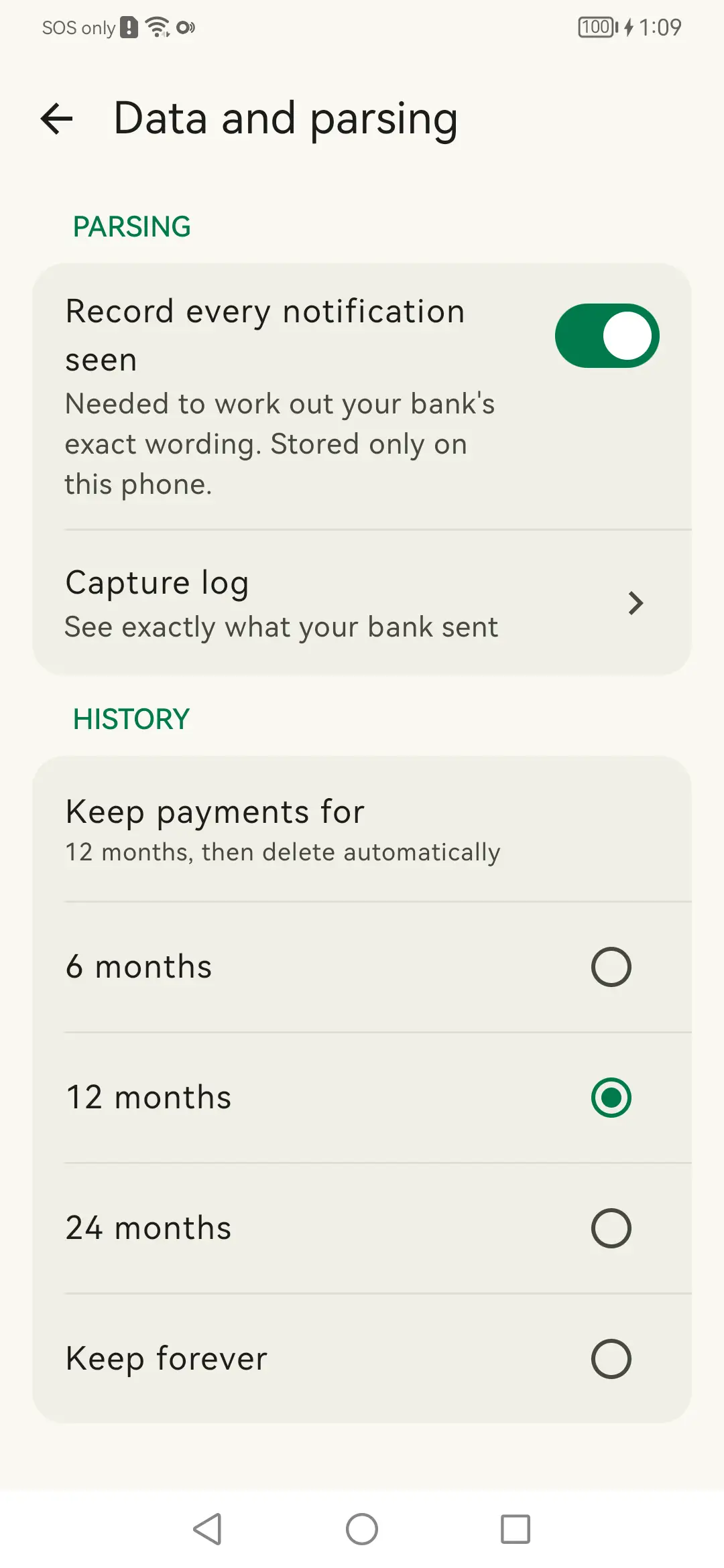
Data and parsing: The capture log, and how long payments are kept.
Data and parsing The capture log, and how long payments are kept.
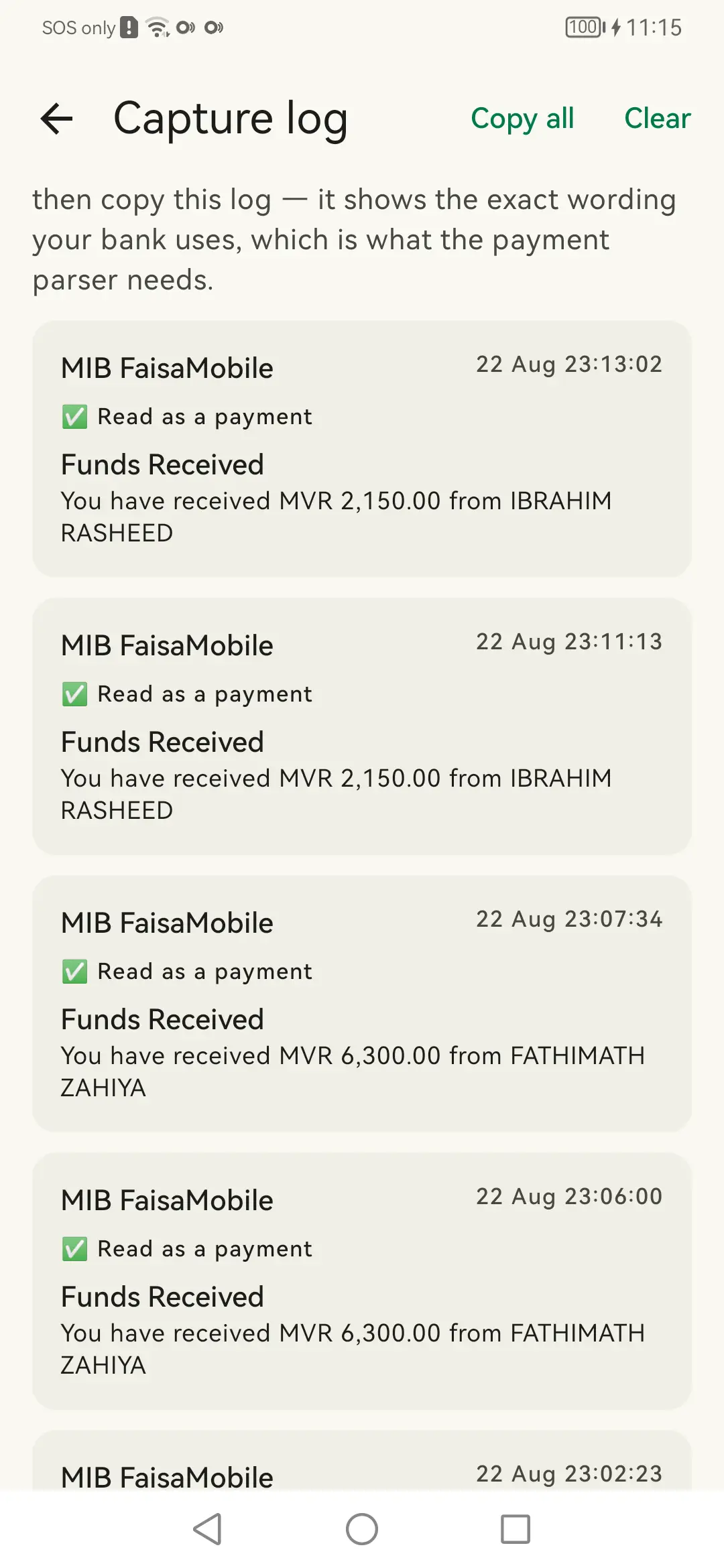
Capture log: Every notification seen, understood or not.
Capture log Every notification seen, understood or not.

Staying alive

The part that matters most on a phone that has to keep listening all day.
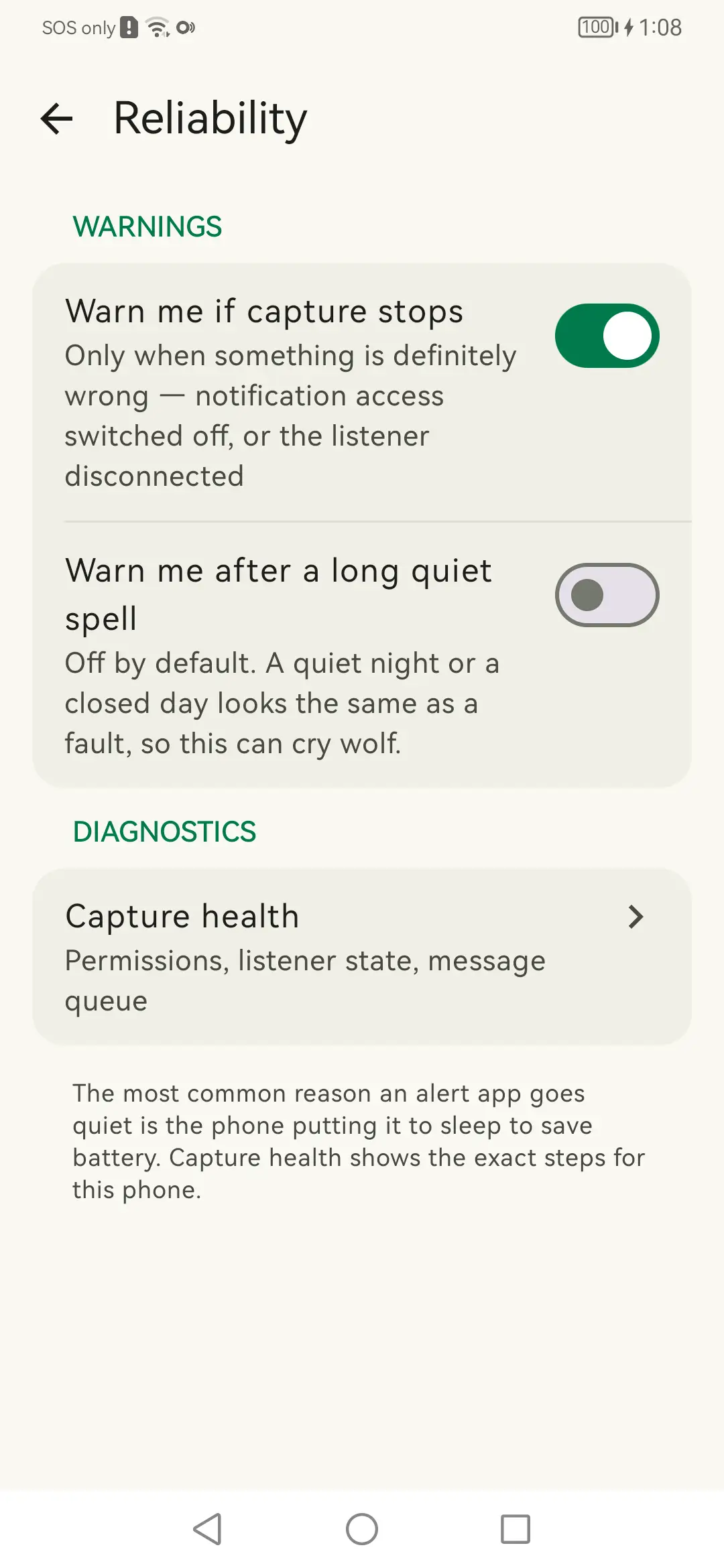
Reliability: Warns if capture stops, or after a suspiciously quiet spell.
Reliability Warns if capture stops, or after a suspiciously quiet spell.
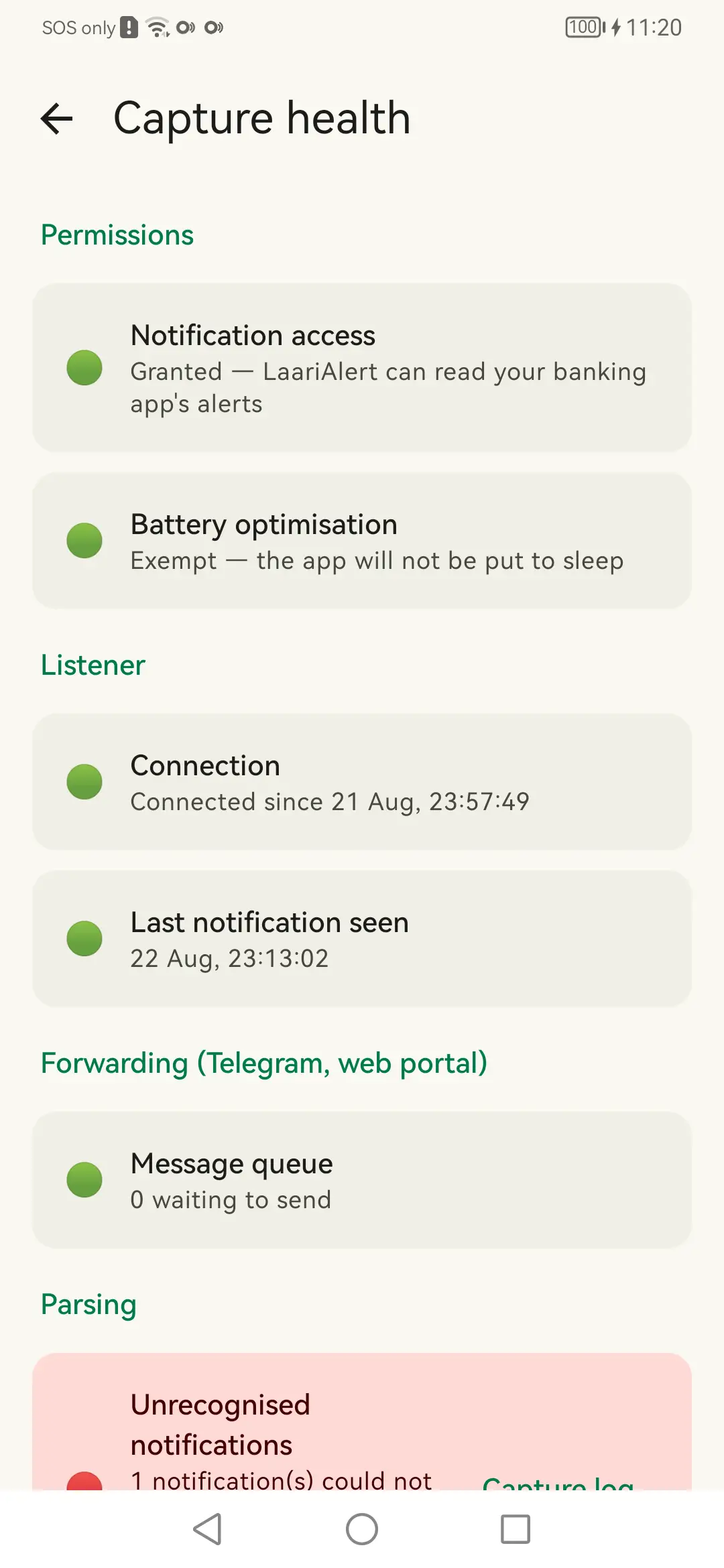
Capture health: Permissions, listener state and queue, in one place.
Capture health Permissions, listener state and queue, in one place.

Sending it on

Both optional. With neither switched on, nothing leaves the phone at all.
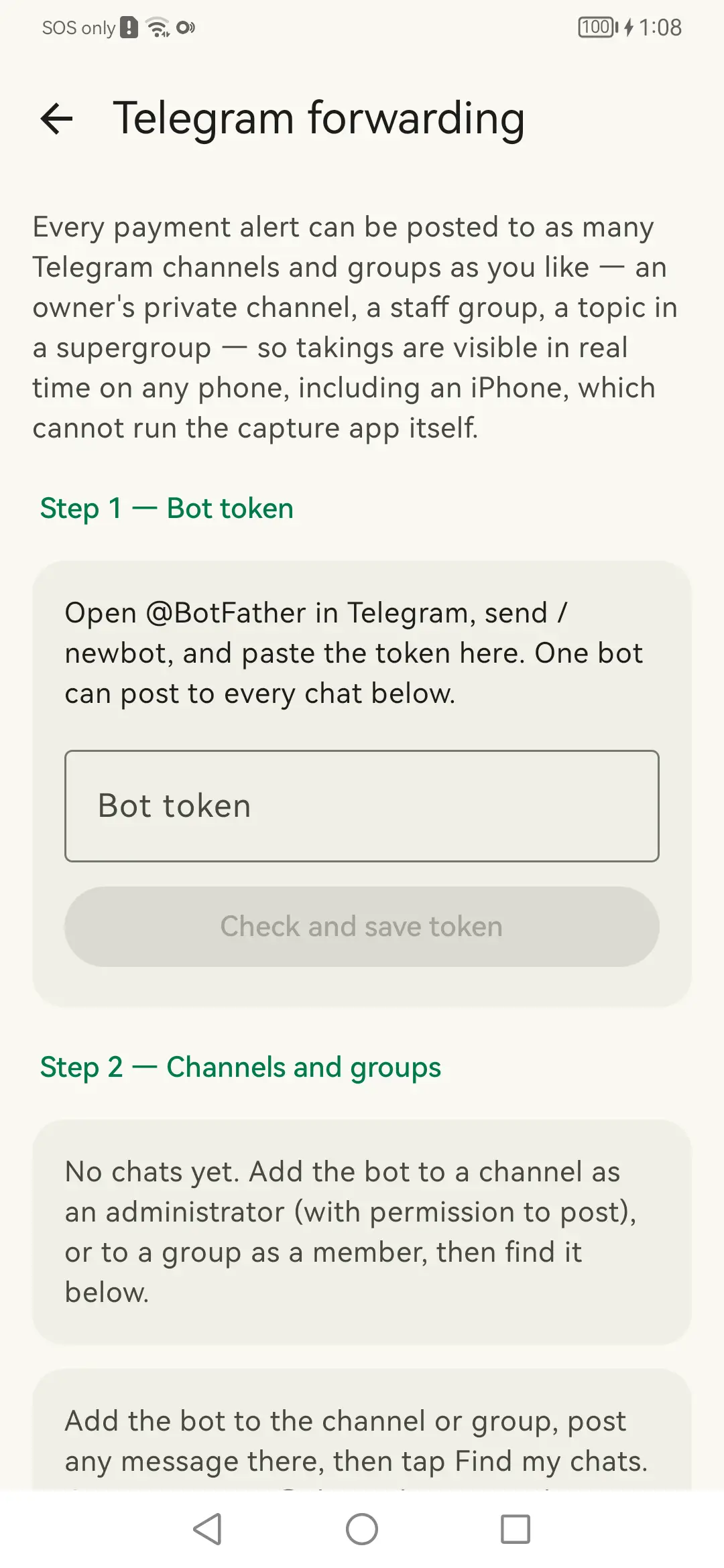
Telegram forwarding: Your own bot, posting into your own chats.
Telegram forwarding Your own bot, posting into your own chats.
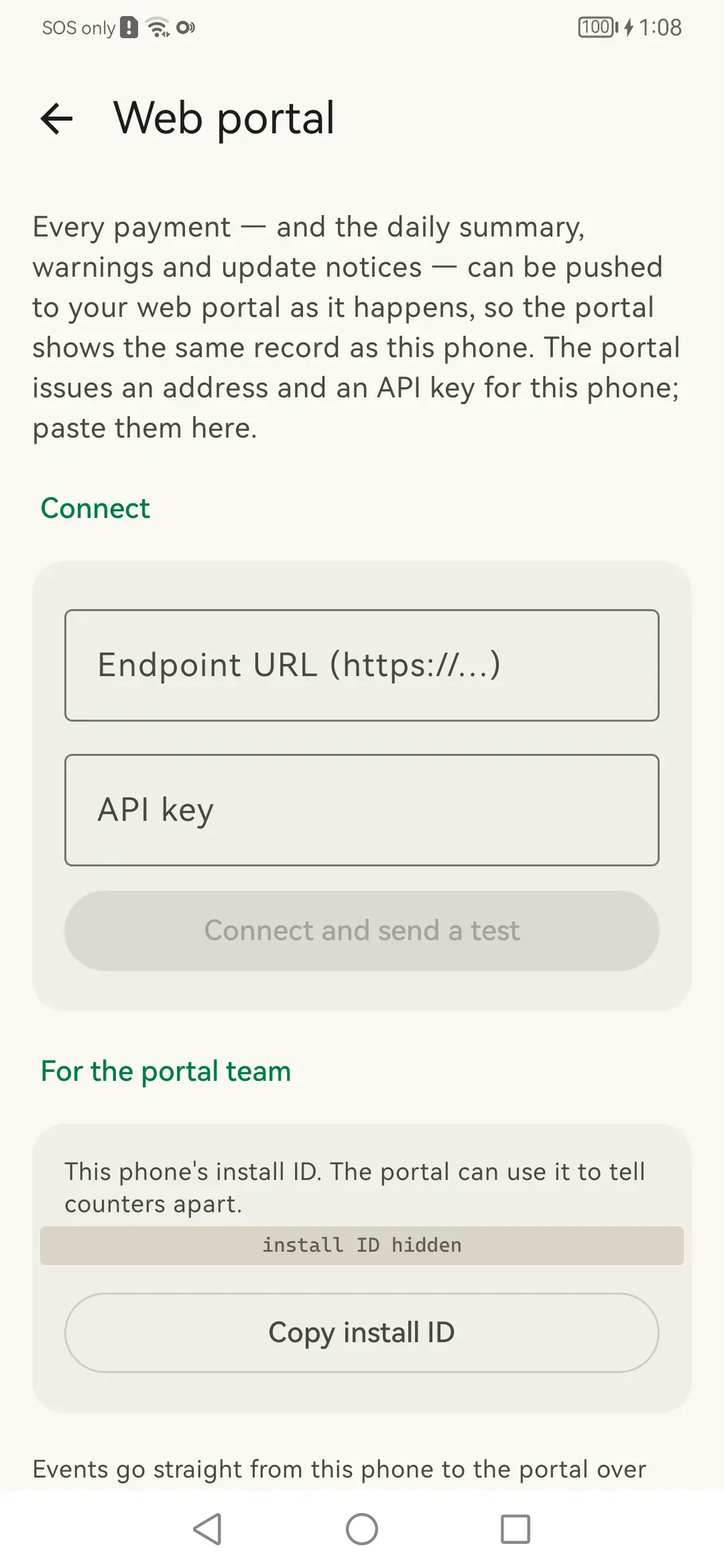
Web portal: Signed pushes to a portal address you enter.
Web portal Signed pushes to a portal address you enter.

Settings and disclosure

What the app tells you about itself.
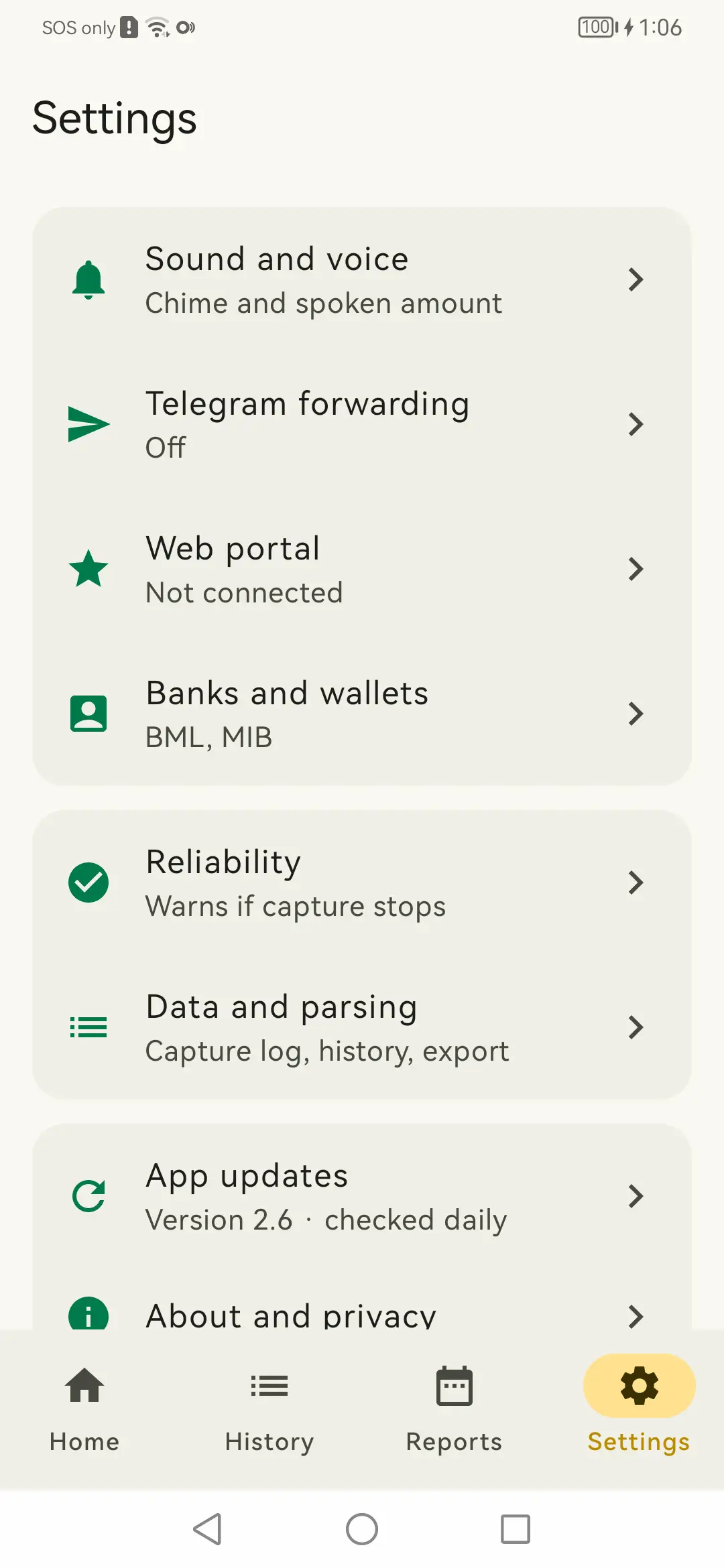
Settings: Everything the app can be told to do, on one screen.
Settings Everything the app can be told to do, on one screen.
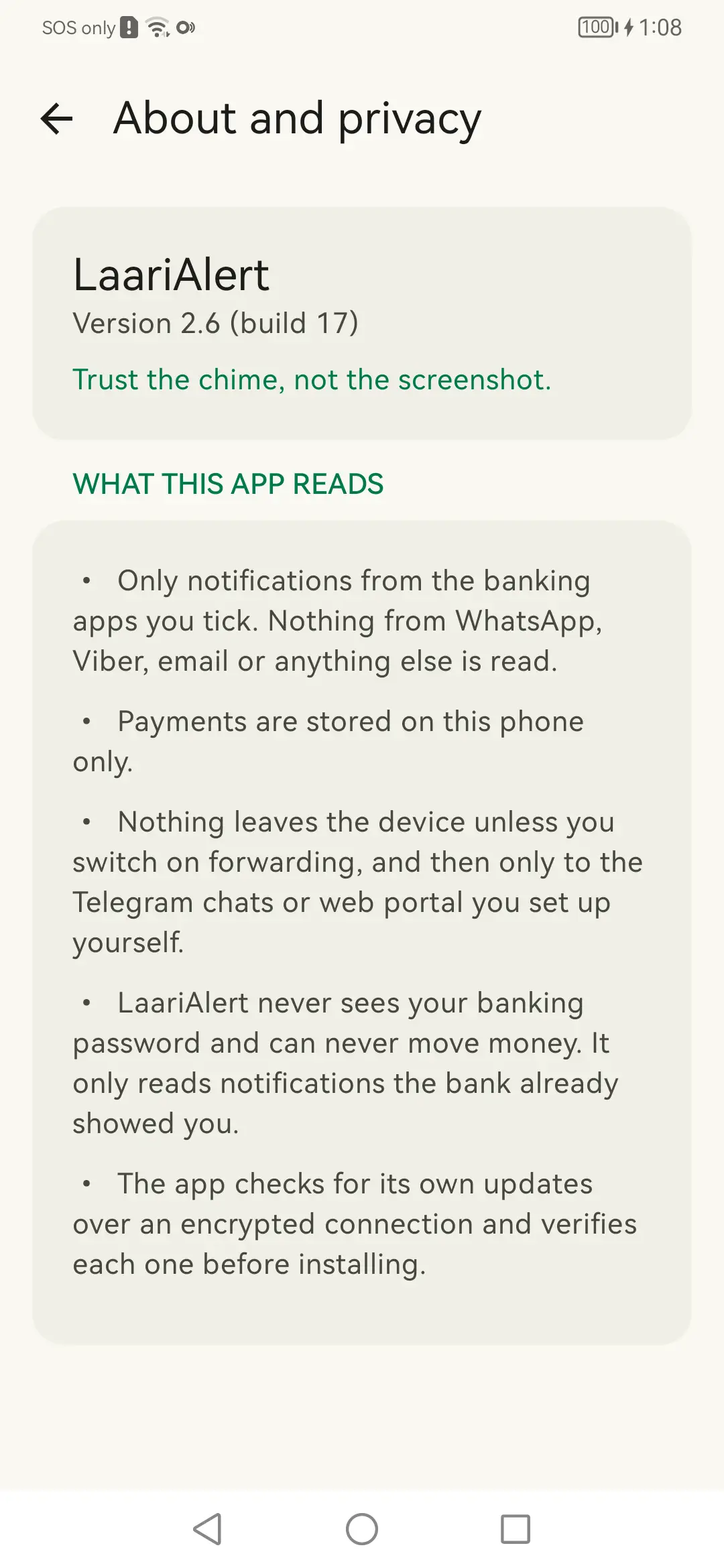
About and privacy: What it reads, in the app's own words.
About and privacy What it reads, in the app's own words.

Putting it on the phone

The sideload, step by step. These are the screens that decide whether someone gets the app working or gives up.

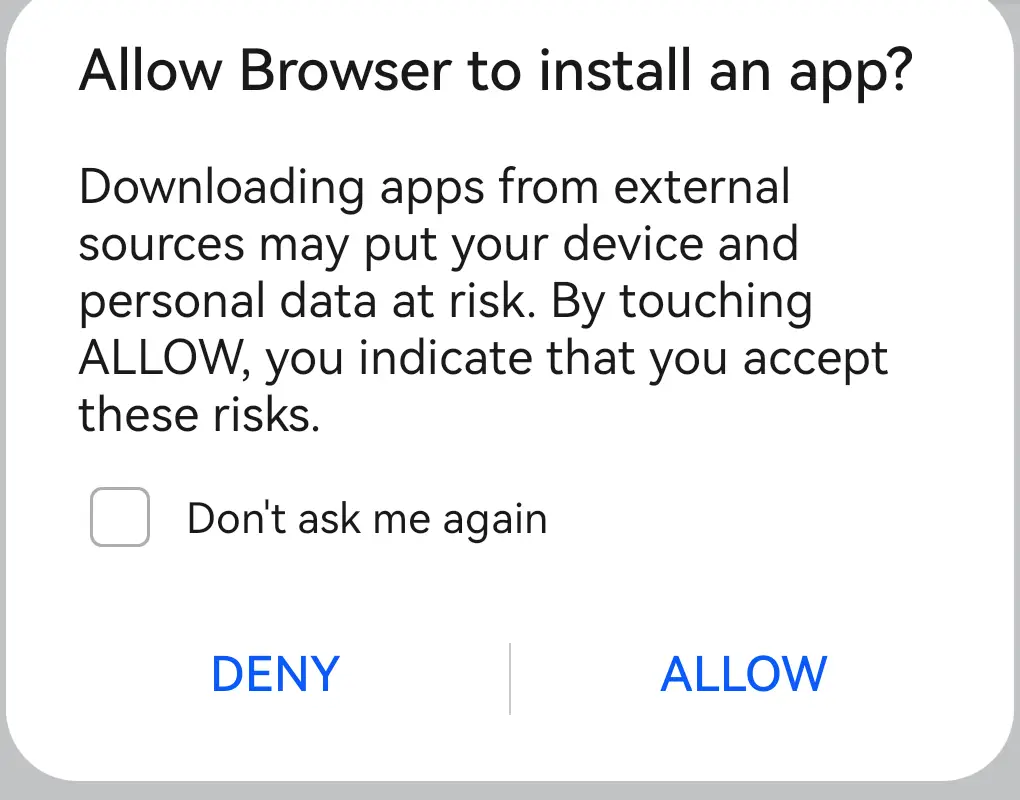
Browser download: The browser asks before it starts.
Browser download The browser asks before it starts.
Allow this source: Granted to the browser, once, not to LaariAlert.
Allow this source Granted to the browser, once, not to LaariAlert.
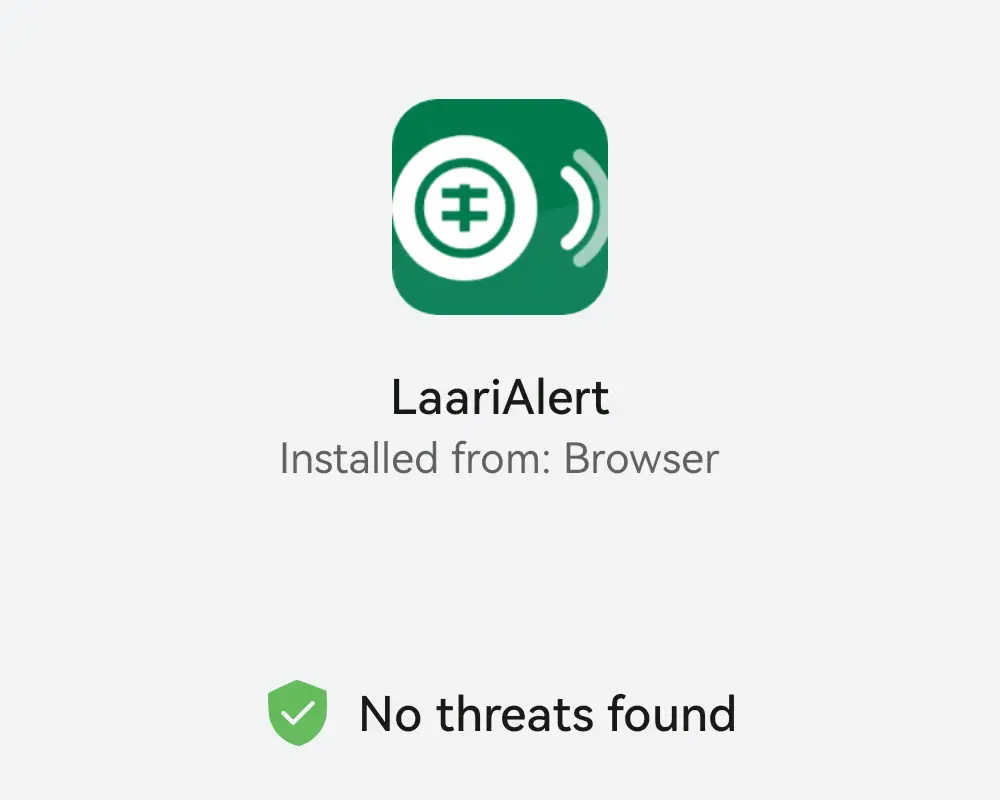
The installer's check: This Huawei found no threats. A Google Play phone warns here instead.
The installer's check This Huawei found no threats. A Google Play phone warns here instead.

Android's own screens

Not part of LaariAlert, but part of setting it up. These are the ones people get stuck on.
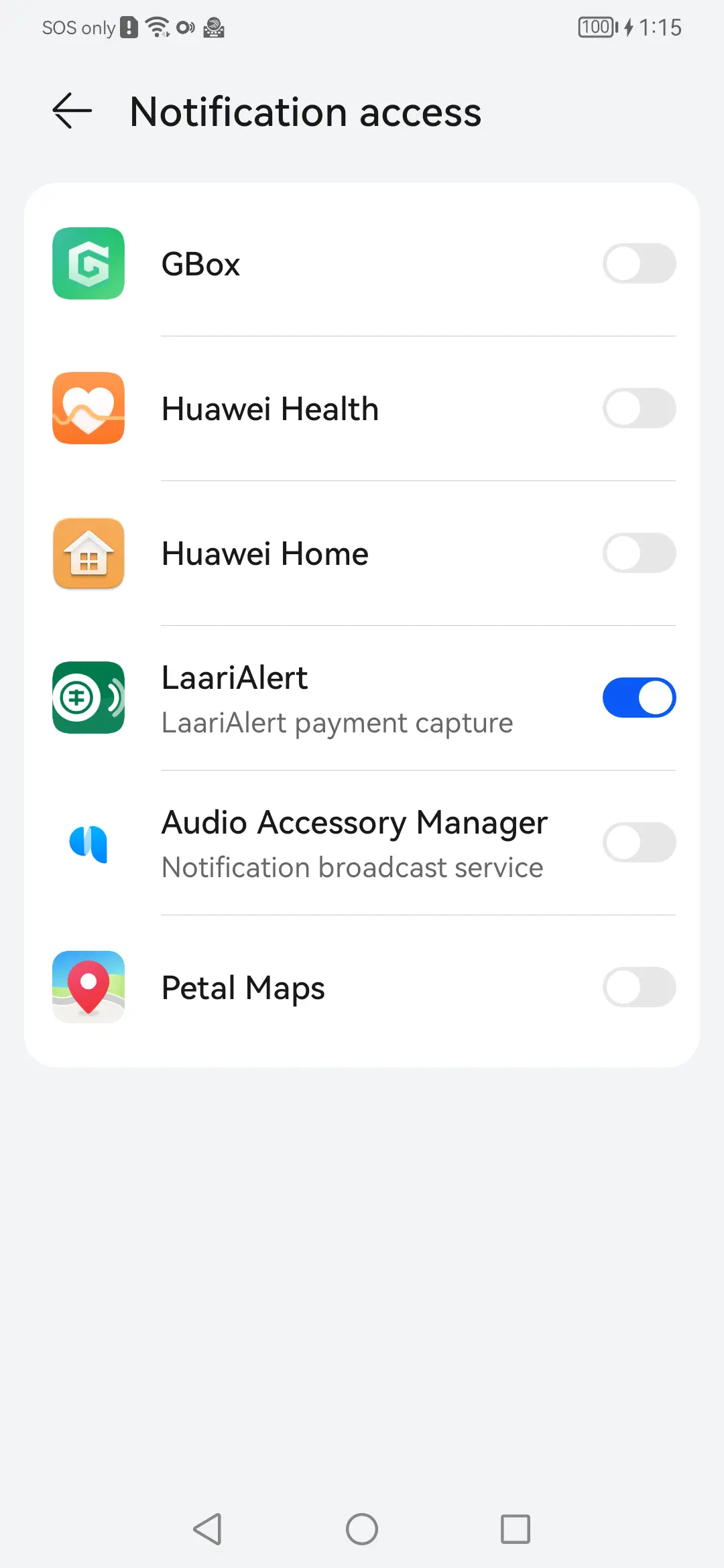
Notification access: The permission that makes the whole thing work.
Notification access The permission that makes the whole thing work.
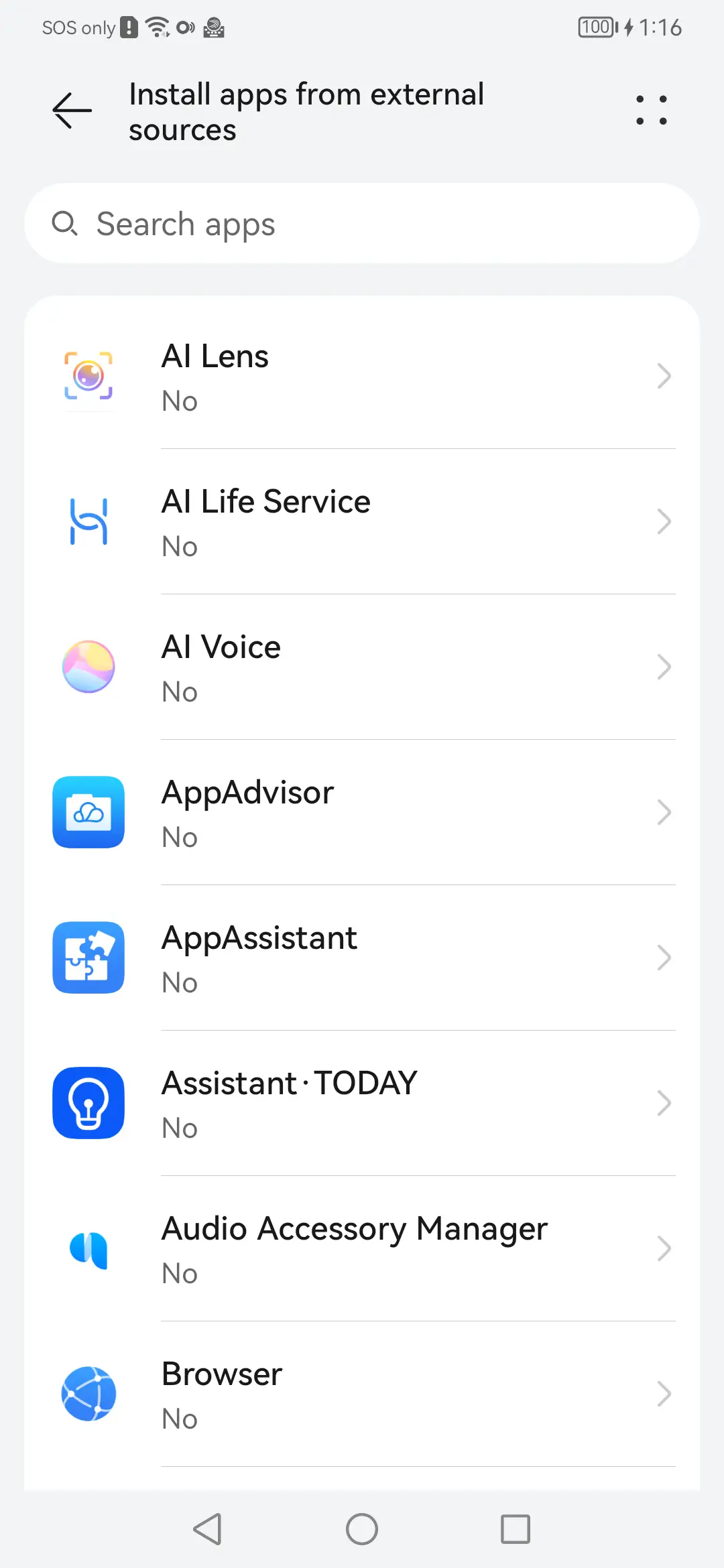
Install from external sources: Granted per browser, before a sideload can begin.
Install from external sources Granted per browser, before a sideload can begin.
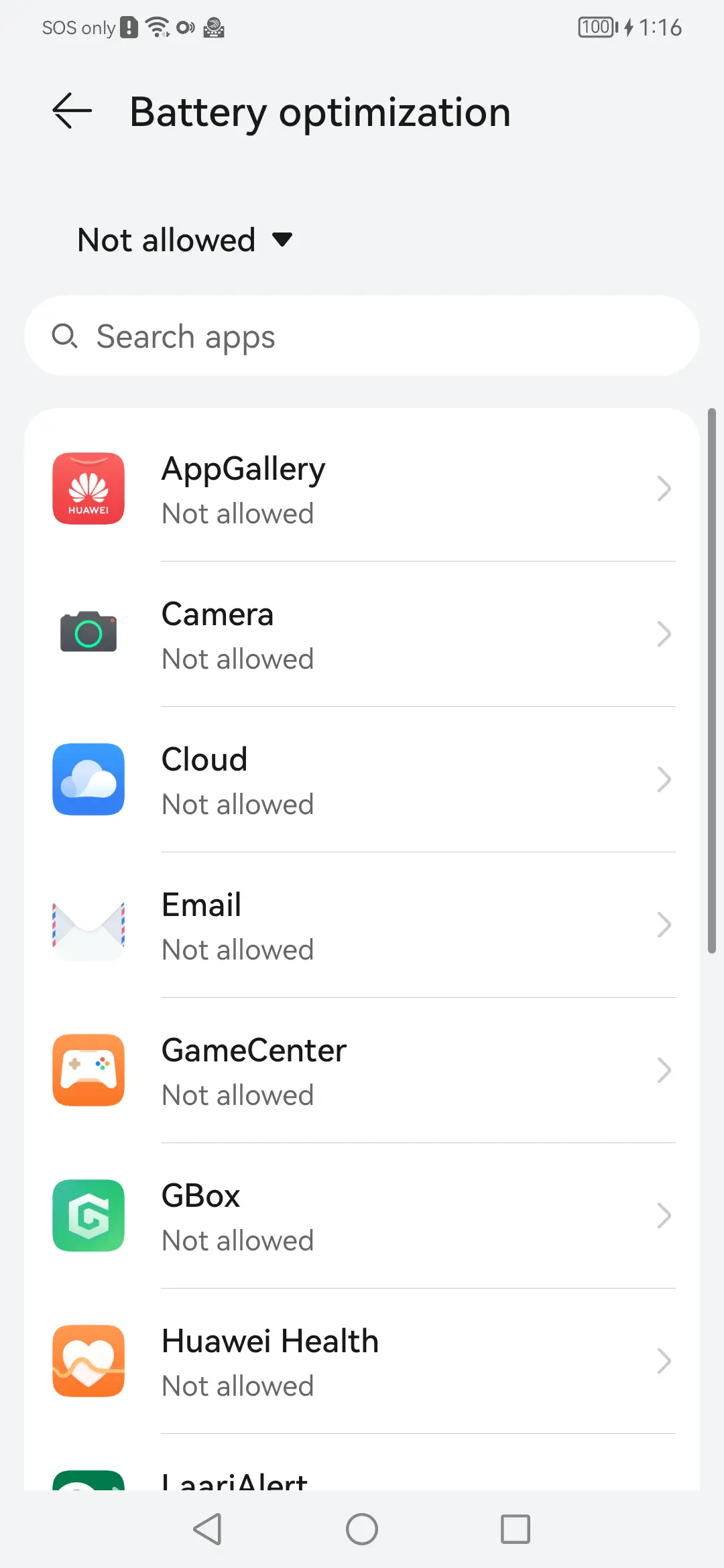
Battery optimisation: The usual reason an app like this goes quiet.
Battery optimisation The usual reason an app like this goes quiet.
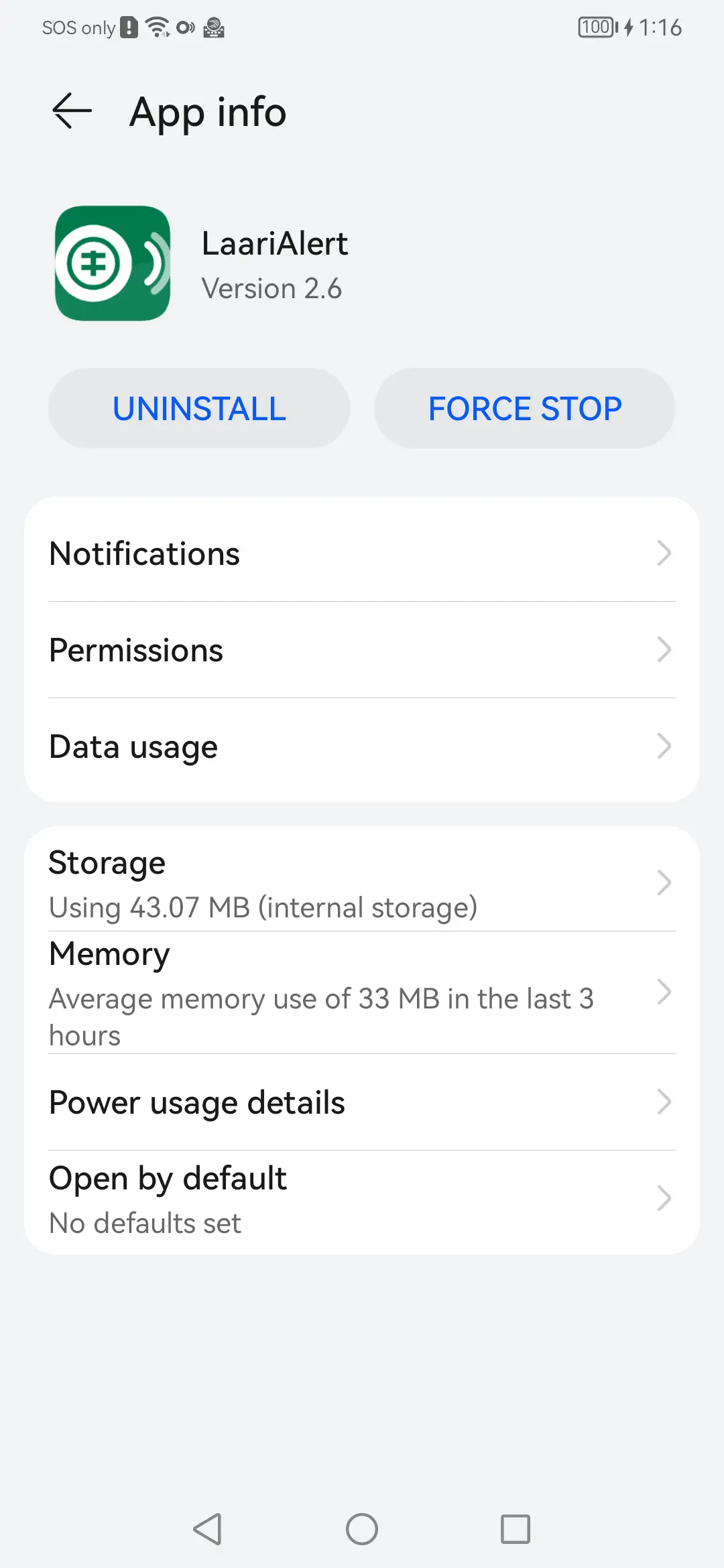
App info: The installed build, as Android reports it.
App info The installed build, as Android reports it.

Still to be taken

One shot is still missing. The phone these were taken on is a Huawei, which has no Google Play services, so Play Protect never appears on it — its own scanner runs instead. Capturing the Google warning needs a different handset.

Screenshot pending

Play Protect warning

The unrecognised-app warning on a phone that has Google Play.

Placeholder — a real screenshot of this screen goes here.

Seen enough?

The install guide walks through getting it onto a counter phone, warning and all.

Read the install guide Get the app